Mozzy
A poster-led iPhone countdown for the good things ahead — with places, weather, reminders and widgets
Discover Mozzy · Get support · Privacy
✨ The App
Mozzy is built around a small idea: the wait should feel like part of the plan. A holiday, birthday or brilliant weekend is more than a number in a list, so each countdown starts with the image that makes it real.
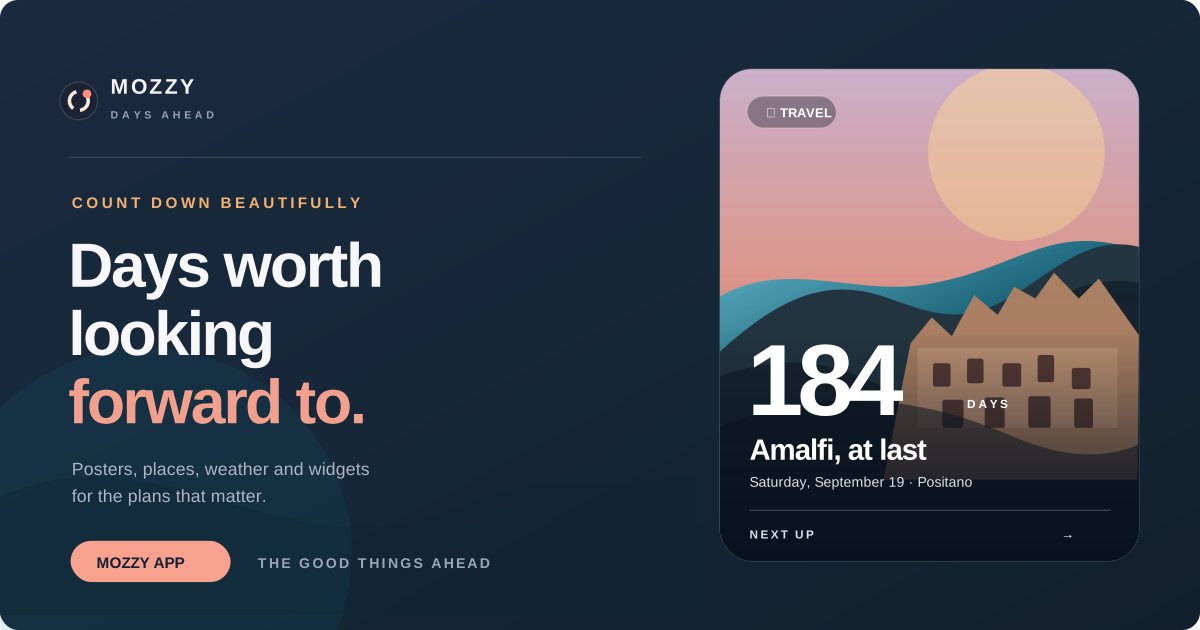
Choose a poster, add a place and Mozzy turns the nearest moment into an editorial, poster-sized card. Its colours are taken from the artwork; the important detail stays immediate: how long is left, where it is, and what the weather will be like when you arrive.
🗺️ A place, not just a date
- Personal posters. Pick a photograph and make the event recognisably yours.
- Destination context. Search for a place with Apple Maps, open it when needed and see a local WeatherKit forecast.
- Reminders that arrive at the right moment. Pick the lead time and time of day rather than accepting a generic alert.
- Built for a glance. Big, legible countdowns first; the supporting details only when you want them.
🧩 Widgets
Every user can put Mozzy on the Home Screen and Lock Screen. Free widgets follow Next Up and use a colour treatment distilled from the event poster, so the reading stays clear without needing the original photo.
All Inclusive is a one-time purchase, not a subscription. It removes the three-event limit, enables poster-backed Home Screen widgets, and lets each widget follow a different upcoming event. A holiday on one screen, a birthday on another — or two plans on the same day — all work without the widget guessing.
🎯 Design notes
The interaction model is deliberately quiet. The event lives in a pull-down sheet: it opens with its poster at full size, lets the detail scroll over a shaded edge rather than carrying the image away, and dismisses naturally when the moment is done. The globe is treated as a glanceable map, not a competing scroll surface.
Mozzy is local-first by default. There is no account, social feed, advertising or analytics layer between somebody and the things they are looking forward to.
Support
Need help with Mozzy? Email me@tommyl22.com. We aim to reply within two working days.
Frequently asked questions
How many countdowns can I create?
The free version supports up to three countdowns. All Inclusive removes the limit with one purchase and no subscription.
Can free customers use widgets?
Yes. Every widget family is available for free. Free Home Screen widgets show the next upcoming event using a Mozzy colour gradient instead of its poster.
How do I choose a different event for a widget?
Event selection is an All Inclusive feature. Long-press the widget, choose Edit Widget, then choose Event. Leave it on Next Up for an automatically rolling countdown, or select any upcoming event.
Why is my poster not visible on a widget?
Poster-backed Home Screen widgets require All Inclusive. Free widgets use the event’s colour gradient. Lock Screen widgets use Apple’s compact system appearance and do not display full poster backgrounds.
My widget is out of date. What should I do?
Open Mozzy once after creating or editing an event. The app will publish the latest countdown information to its widgets. If necessary, remove and add the widget again.
A selected widget event was deleted or has passed.
Mozzy safely returns that widget to Next Up, so it continues showing the nearest upcoming countdown.
How do I change a reminder?
Open the event, choose edit, then adjust the reminder lead time and time of day. Notifications must also be enabled for Mozzy in iPhone Settings.
Why is the forecast unavailable?
Forecasts need an internet connection, a valid event location and WeatherKit availability for that place. Try opening the event again later. Mozzy still keeps the countdown available when weather cannot be loaded.
How do I restore All Inclusive?
Open the All Inclusive screen and choose Restore Purchase. Use the same Apple Account that originally bought the upgrade.
How do I delete my data?
Delete individual events from within Mozzy. Deleting the app removes its remaining locally stored events, posters and settings from the device.
Contact
Developer: Thomas Lind
Email: me@tommyl22.com
When contacting support, please include your iPhone model, iOS version and a short description of what happened. Do not email private photos or sensitive information.
Privacy Policy
Effective date: 4 September 2026
Last updated: 4 September 2026
Mozzy is developed by Thomas Lind (“we”, “us” or “our”). This Privacy Policy explains how information is handled when you use the Mozzy iPhone application.
The short version
Mozzy does not require an account and does not contain advertising, tracking or analytics. Your countdowns, notes and poster images are stored locally on your device. We do not operate a server that receives or stores this information.
Mozzy uses Apple services when you search for a place, request weather, make an in-app purchase or interact with system features. Those services process only the information needed to provide the requested function and are governed by Apple’s applicable terms and privacy policies.
Information stored on your device
Mozzy may store the following information locally:
- Countdown titles, dates, categories and notes
- Destination names, map coordinates and place details you choose
- Reminder preferences
- Poster images you select
- Purchase entitlement state
- A compact copy of upcoming event information and poster thumbnails shared with the Mozzy widget extension
This information is kept inside the app’s protected storage and its private Apple App Group container so that the main app and widget extension can work together.
Photos
Mozzy uses Apple’s system photo picker when you choose a poster. The app receives only the image you explicitly select. Mozzy does not browse or upload your photo library, and selected posters remain stored locally on your device.
Places and maps
When you search for a destination or open a place in Maps, your search text or selected location is processed by Apple Maps to provide search results and map functionality. Mozzy stores the destination you choose locally with the event.
Mozzy does not request or track your device’s live location for advertising or analytics.
Weather
When an event has a destination, Mozzy may send that destination’s coordinates to Apple Weather through WeatherKit to request current conditions and a forecast. Apple states that WeatherKit location information is used only to provide forecasts, is not associated with personally identifiable information and is not tracked between requests.
Mozzy does not use weather requests to identify you, build a profile or track you between events.
Notifications
If you enable reminders, Mozzy asks iOS for notification permission and schedules notifications locally on your device. We do not use a remote notification server and do not receive a record of your reminders.
Widgets
Mozzy widgets read a limited snapshot of upcoming events from a private Apple App Group container on your device. Free widgets do not display poster images. When All Inclusive is active, Home Screen widgets may read a reduced poster thumbnail for the selected event. Widget information is not uploaded to us.
Purchases
All Inclusive purchases are processed by Apple through StoreKit and your Apple Account. We do not receive or store your payment card details. Mozzy receives only the product and transaction information needed to verify whether All Inclusive is active and to restore the purchase.
Apple may independently process purchase information under its own privacy policy.
Information we do not collect
Mozzy does not collect or use information for:
- Third-party advertising
- Cross-app or cross-website tracking
- Analytics or user profiling
- Selling or sharing personal information
- Marketing email lists
- Creating user accounts
Data retention and deletion
Your event information remains on your device until you edit or delete the event, or uninstall Mozzy. When an event is deleted, Mozzy removes it from the widget snapshot during the next widget update.
You can delete your information by deleting individual events in Mozzy or by deleting the app from your device. Because we do not operate an account or event-storage server, there is no separate server-side account to delete.
Apple may retain purchase records as required to operate the App Store, process refunds, prevent fraud and meet legal obligations. Those records are controlled by Apple rather than Mozzy.
Children’s privacy
Mozzy is a general-audience utility and is not directed specifically at children. We do not knowingly collect personal information from children or from any other users.
Security
Mozzy relies on Apple’s application sandbox, protected local storage and App Group security to isolate its data from other apps. No method of storage is completely risk-free, so you should protect your device with a passcode and keep iOS up to date.
International use
Apple services used by Mozzy may process requests in locations outside your country. Their handling of those requests is governed by Apple’s terms and privacy policies.
Changes to this policy
We may update this Privacy Policy when Mozzy’s features or legal obligations change. The latest version will remain available on this page, with the effective date shown above.
If Mozzy later adds accounts, cloud synchronisation, analytics, advertising, crash-reporting services or other data practices, this policy and the App Store privacy disclosures will be updated before those changes are released.
Privacy contact
Questions about privacy can be sent to me@tommyl22.com.
Data controller: Thomas Lind